flux

Flux Core at the rig.
Live data everywhere.

It connects to the rig's EDR, cleans the data with onboard AI and streams it to the cloud. Your team drills from live KPIs in Flux EDR and geology in PathFinder, and every other system gets the same feed over WITSML.

See how it works
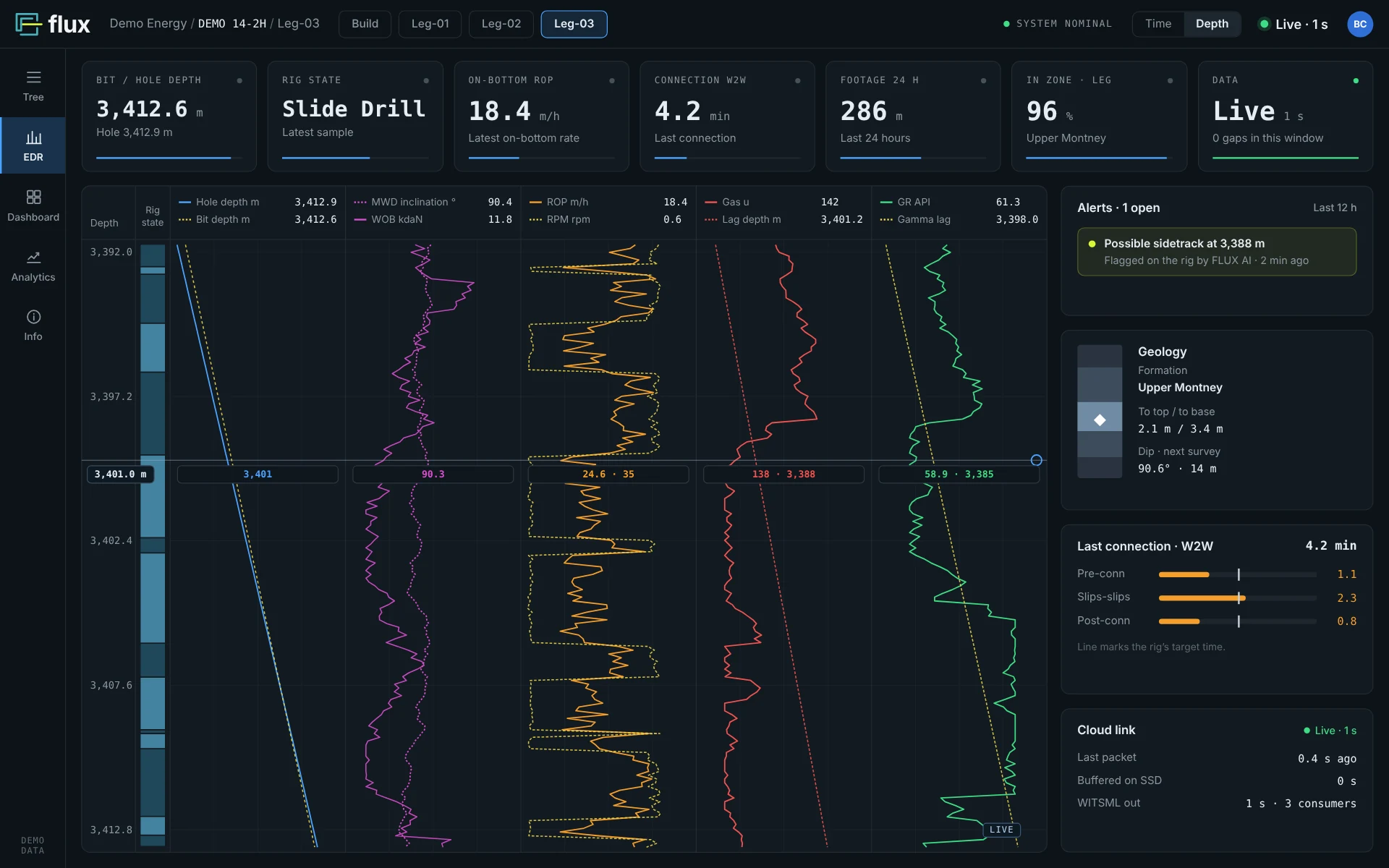
Flux EDR live view with drilling, gas and gamma tracks, KPI tiles and alerts (demo data)
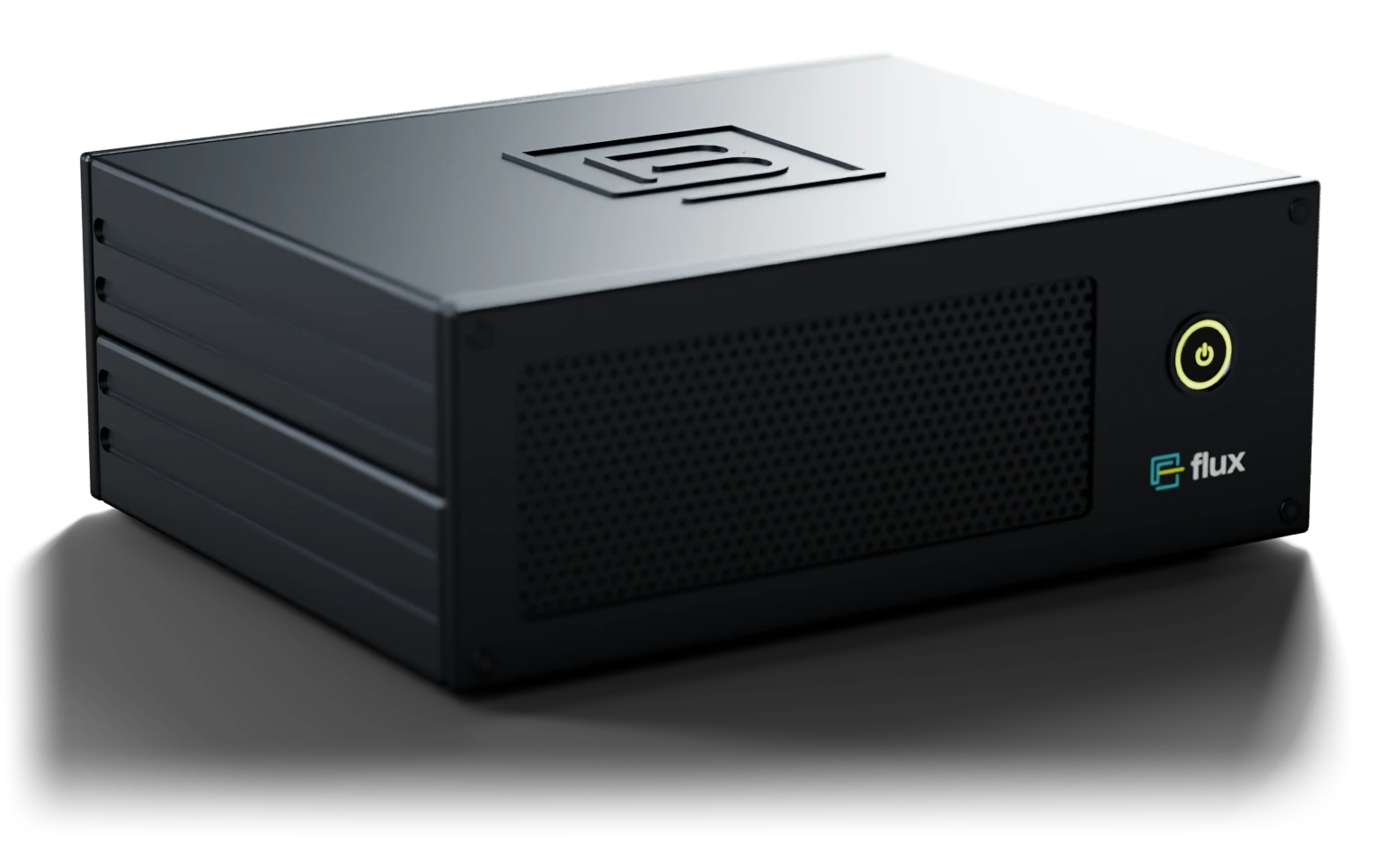
Flux Core, a compact black aluminium unit with a lit status-ring button

Data path

How it works

Flux Core sits at the wellsite next to the EDR. It checks the rig's data at the source and sends it to the cloud, which serves Flux EDR, PathFinder and any system that speaks WITSML.

At the rig

Rig EDR

The rig's existing data system.

At the rig

Flux Core

Cleans the data with onboard AI and buffers it if the link drops.

In the cloud

Cloud

Fills any gaps and serves the data to your users and systems.

Flux EDR

Live view, dashboard and analytics in the browser.

PathFinder

Geosteering on live rig data.

WITSML consumers

RTOC, operator and geosteering systems.

WITSML 1.3 / 2.0

Flux Core

Rig data, handled at the rig.

Flux Core sits at the wellsite, next to the rig's EDR. It reads the rig's data, cleans it with onboard AI and sends it to the cloud. When the internet drops, it keeps recording.

Flux Core, a compact black aluminium unit with a lit status-ring button on the front
  • 01

    Works with the rig's EDR

    Connects to the rig's existing EDR over the network or an RS-232 serial line.

  • 02

    No data lost

    When the rig's internet drops, Flux Core keeps recording to its SSD and fills the gap as soon as the link is back.

  • 03

    AI on site

    An NVIDIA Jetson runs data cleanup, rig-state and sidetrack detection at the wellsite, where the data is recorded.

  • 04

    Built to run unattended

    A compact anodized-aluminium case, actively cooled for round-the-clock running, with one button and a lit status ring.

Exploded view of Flux Core showing the NVIDIA Jetson module, M.2 SSD, rear ports and front button

What's inside

Everything it needs to run on its own at the wellsite.

  1. NVIDIA Jetson

    Runs the onboard AI: data cleanup, rig states and sidetrack detection.

  2. M.2 SSD

    The offline buffer that keeps every sample when the link drops.

  3. Network, USB and display ports

    The board's own ports, at the back of the case.

  4. Status-ring power button

    One button on the front, with a lit ring.

  • Front of Flux Core: perforated grille and status-ring button
    Status at a glance
  • Rear of Flux Core with DC, DisplayPort, USB, Ethernet and USB-C ports
    Ready to connect
  • Close-up of the Flux Core lid
    Sturdy design
Flux Core on a desk at the wellsite at dusk, with the rig through the window

Specifications

Dimensions
122 × 95 × 45 mm
Power
19 V DC, 7–25 W
Operating temperature
0 °C to 35 °C
Weight
≈ 0.55 kg

Onboard AI

Caught where the data starts.

Three models run on the NVIDIA Jetson inside Flux Core. They check the rig's data at the wellsite, before it reaches the cloud, and keep working when the link drops.

  • RawCleaned on Flux Core
    01

    Data cleanup

    Spikes, frozen sensors, depth jumps and dropouts are caught as each channel arrives. Every dashboard, KPI and WITSML feed works from the same clean stream.

    In Flux EDRClean tracks, with no cleanup step left for the office.
  • HookloadDetected rig stateRotateSlideConnectionCirculateTrip
    02

    Rig state detection

    Hookload, block height, depth, weight on bit, rotary speed and pressure show what the rig is doing: drilling, sliding, connections, circulating or tripping. No manual tagging.

    In Flux EDRThe rig-state timeline, on-bottom ROP and connection times.
  • Sidetrack detected · 3,388 mOriginal holeCurrent bit path
    03

    Sidetrack detection

    Flux Core spots when the bit leaves the original hole and starts a new leg, then splits the data at that depth. Each leg keeps its own logs and surveys, with no overlapping depths to clean up by hand.

    In Flux EDREach leg's data on its own, split at the kick-off depth automatically.

Works offline. If the rig's internet drops, detection keeps running. Results are stored on the SSD with the data and sent when the link returns.

Flux EDR

Live data. Automatic KPIs. Faster wells.

Flux EDR is the web app for drilling teams: live rig data, rig states and KPIs worked out for you, and analytics across every well. Geology comes from PathFinder, and Claude can work with the same data.

Flux EDR · Live view
Flux EDR live view with depth tracks for drilling, gas and gamma, KPI tiles and alerts (demo data)

EDR

The live view, about a second behind the rig.

  • Depth- and time-based tracks for drilling, MWD, gas and gamma
  • Formation tops and the geosteering interpretation from PathFinder on the same view
  • Rig state, open alerts, surveys and the last connection alongside
  • Rotary and slide intervals marked on the depth track

KPIs, ready from the first stand

Flux Core detects rig states as it records, so every KPI is calculated automatically, per stand, BHA run, hole section, well and crew. No manual tagging, no spreadsheets.

Drilling

  • On-bottom ROP
  • Rotary vs slide ROP
  • Slide %
  • Footage per day
  • Drilling hours
  • Days vs depth

Connections

  • Weight to weight
  • Slips to slips
  • Pre-connection
  • Post-connection
  • Day vs night crew

Tripping

  • Trip speed in and out
  • Stands per hour
  • Tripping connections
  • Casing running speed

Time

  • Rig-state breakdown
  • Flat time
  • Invisible lost time
  • Time vs plan
  • Best-well benchmark
Connected to PathFinder

Drilling and geology on one well

Formation tops, the target zone and the latest geosteering interpretation flow from PathFinder into Flux EDR, and the rig data flows back. Both apps work from the same well, with the same surveys, logs, tops and offsets, so drillers and geologists never compare two versions.

PathFinderTops, target zone, geosteering interpretation, offsets
Flux EDRLive drilling data, rig states, surveys, alerts
Upper MontneyTarget zoneLower MontneyIn zone · 1.8 m above base
Works with Claude

Ask Claude about your well

Through the PathFinder connector for Claude, engineers can ask about a well in plain language. Claude works from the same data, down to every connection in the 1‑second record, so it can find where time is lost, compare crews and offsets, or draft the morning report.

Claude · PathFinder connector · DEMO 14-2H
Where are we losing time on this well?
Mostly in connections: 5.1 of the 9.4 hours of invisible lost time. The night crew averages 5.2 min weight to weight against 4.6 min for the day crew, and most of that gap is pre-connection time. Trips out cost another 2.6 h. Want me to draft a note for the rig with the day crew's connection sequence?
  • Why did ROP drop over the last three stands?
  • Draft this morning's drilling report
  • Which offset drilled this lateral fastest?
On any screenRuns in the browser on a laptop, tablet or phone, in the office or at the wellsite. Nothing to install.
Flux EDR on a laptop, a tablet and a phone (demo data)

Flux WITSML

Standard WITSML, straight from the rig.

Flux WITSML serves every Flux well as a live feed in WITSML 1.3 and 2.0, and works with the OSDU Data Platform. Geosteering, RTOC and operator systems connect with the clients they already use, whatever EDR the rig runs.

  • 01

    WITSML 1.3 and 2.0

    One source for older systems on WITSML 1.x and newer platforms built on ETP streaming.

  • 02

    1‑second updates over sockets

    Data streams as it arrives instead of in batches, so consumers stay about a second behind the rig.

  • 03

    No gaps after an outage

    When the rig's internet drops, Flux Core buffers to its SSD and the feed back-fills once the link returns.

  • 04

    Clean data from any rig

    The same standard feed whatever the EDR, already cleaned by onboard AI before it leaves the wellsite.

Livelog · DEMO 14-2H · time indexWITSML 2.0
TIMEUTCDMEAmDBTMmROPAm/hWOBAtSPPAMPaHKLAt
14:32:073412.043412.0418.59.721.6111.5
14:32:063412.033412.0318.89.721.4111.6
14:32:053412.033412.0318.910.021.5111.5
14:32:043412.023412.0218.79.721.5112.1
14:32:033412.023412.0218.59.721.8111.9
14:32:023412.013412.0118.59.921.5111.6
14:32:013412.013412.0118.69.721.8111.2
Update rate 1 sChannels 148Gaps today 0Consumers 3

Open standards, one feed

Many systems in the field still run WITSML 1.x, newer platforms stream over ETP, and operators are moving their data to OSDU. Flux serves all three from the same cleaned data, so every consumer sees the same numbers.

WITSML 1.3

For established geosteering and RTOC systems

Connection
Sockets
Update rate
1 second
Data
Time and depth logs, trajectory, well and wellbore

WITSML 2.0

For platforms built on ETP streaming

Connection
ETP over WebSocket
Update rate
1 second
Data
Time and depth logs, trajectory, well and wellbore

OSDU Data Platform

For operator data platforms

Connection
OSDU Data Platform APIs
Update rate
Continuous
Data
Wells, wellbores, trajectories and logs

Connects to

  • Geosteering softwareLive gamma, surveys and depth for the steering interpretation
  • Real-time operations centresEvery rig in one place, with the same standard channels
  • Operator data platformsOSDU Data Platform, historians, data lakes and in-house tools
  • Service-company systemsDirectional, mud logging and engineering software

Built in for PathFinder

PathFinder receives Flux data automatically. Live drilling data appears on the well next to the geosteering interpretation, with nothing to configure.

Explore PathFinder →

Next step

See Flux on your rig.

See your own rig's data in Flux EDR, PathFinder and your WITSML systems. Book a live demo or talk to the Bitcap team.

Contact